Updating to New Versions
Video Tutorial
Check out the video tutorial above for a walkthrough of the updating process. It may help to enable full-screen mode!
Instructions
-
When you run
Start Server.cmd, you may get an alert that Peacock is out of date, as shown in this example image: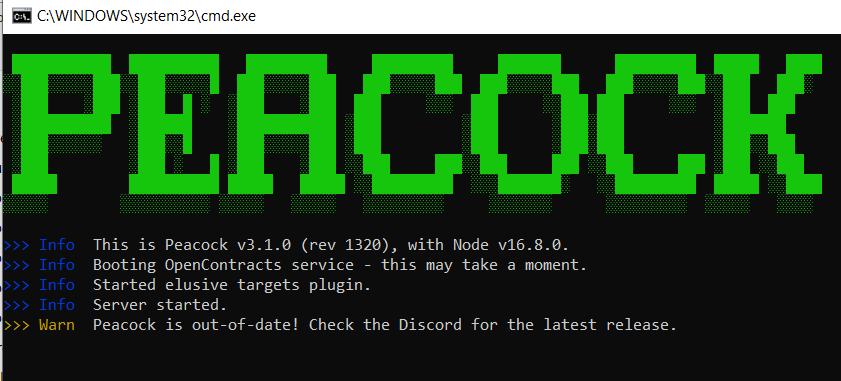 .
. -
Usually you will need to update Peacock only when there is a new game update, but stay tuned in the Peacock Discord's
#updatesand#downloadschannels to be safe.- Note: Peacock may be temporarily unavailable after a game update, as it takes a few hours for the Peacock Patcher to be updated as well.
-
If there is a new Peacock update, go to the latest Peacock release on GitHub to download the latest build.
-
Extract (unzip) files. Running the files from within the zipped folder will not work.
-
Assuming you have used Peacock during the previous game update, follow the instructions below to keep your loadouts and in-game save files (Otherwise, your loadouts will all default back to ICA19/coins/fiberwire, and your in-game save files will be lost).
- Copy your old
userdataandcontractSessionsfolders from your previous Peacock Install folder, and paste it into your new Peacock Install folder. Replace any existing files in the new Peacock build's folder, if necessary. - Check this example image if you have trouble finding the
userdataandcontractSessionsfolders: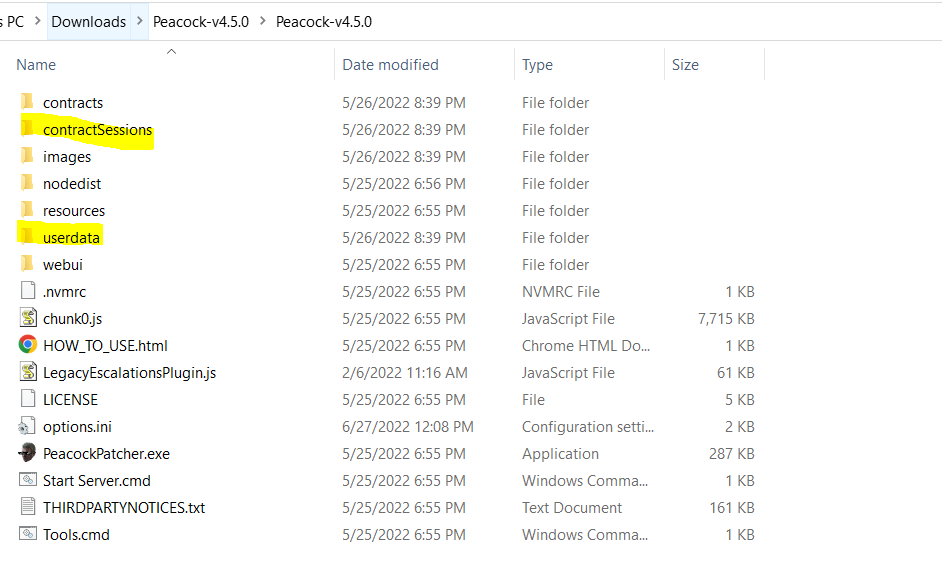
- Copy your old