Poort in gebruik error
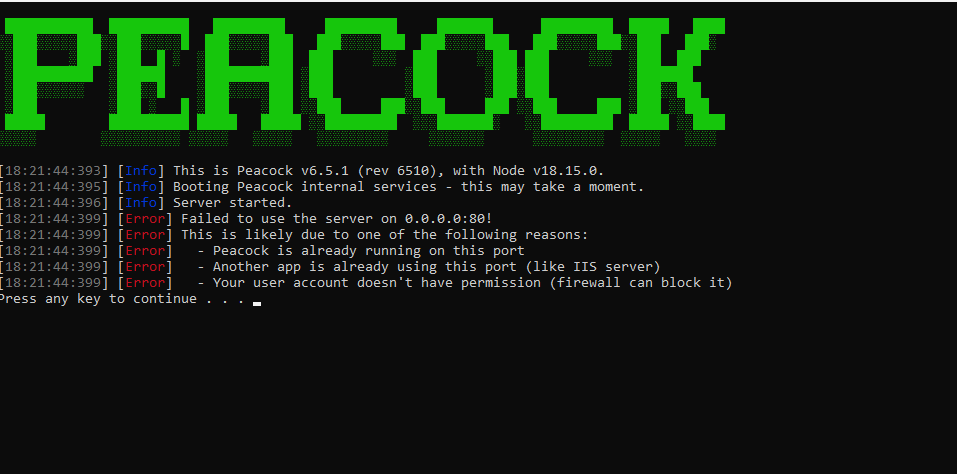
De fout “Poort in gebruik” treedt op wanneer Peacock probeert te starten, maar de poort waarvoor het is ingesteld al in gebruik is.
Here's what it looks like:
What is a Port?
In simple terms, a port is a thing programs and other computers can connect to and get data from. In order for the game to talk to Peacock's server, the server has to occupy a port. Ports must have an assigned number. The default port used by Peacock is 80, but port numbers can be any whole number between 1 and 65535.
Visual Studio
If you use Visual Studio, you may have installed some services that interfere with Peacock by also running on Port 80. To fix:
- Press the Windows key and R at the same time.
- Type services.msc in the popup box, then hit Okay.
- Check for
W3SVC: World Wide Web Publishing ServiceandWeb Deployment Agent Servicein the service manager. - Disable both if present.
- Try again, if it doesn't work, restart your computer, then try once more.
Changing the Port
Here's how to change the port Peacock uses, if you don't want to stop the process on Port 80:
In the instructions below, please substitute PORTNUMBER with a port that is not currently in use on your PC, e.g. 8080, 6969, 3000, etc.
- Change
Start Server.cmdto be as follows:@echo offSET PORT=PORTNUMBERSET LOG_LEVEL_CONSOLE=infoSET LOG_CATEGORY_DISABLED=SET LOG_MAX_FILES=14d.\nodedist\node.exe chunk0.jsPAUSE - Type
127.0.0.1:PORTNUMBERinto the Patcher's URL field, as shown here (click on the text and then type, the UI/UX will hopefully be improved soon):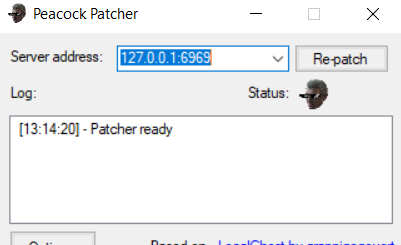
On Linux
Peacock's default port is 80, but on Linux, the normal user account does not have permission to use port 80. Check out the Changing the Port section above.